

How to Utilize Mercedes-Benz’s MBUX System for Advanced Connectivity?
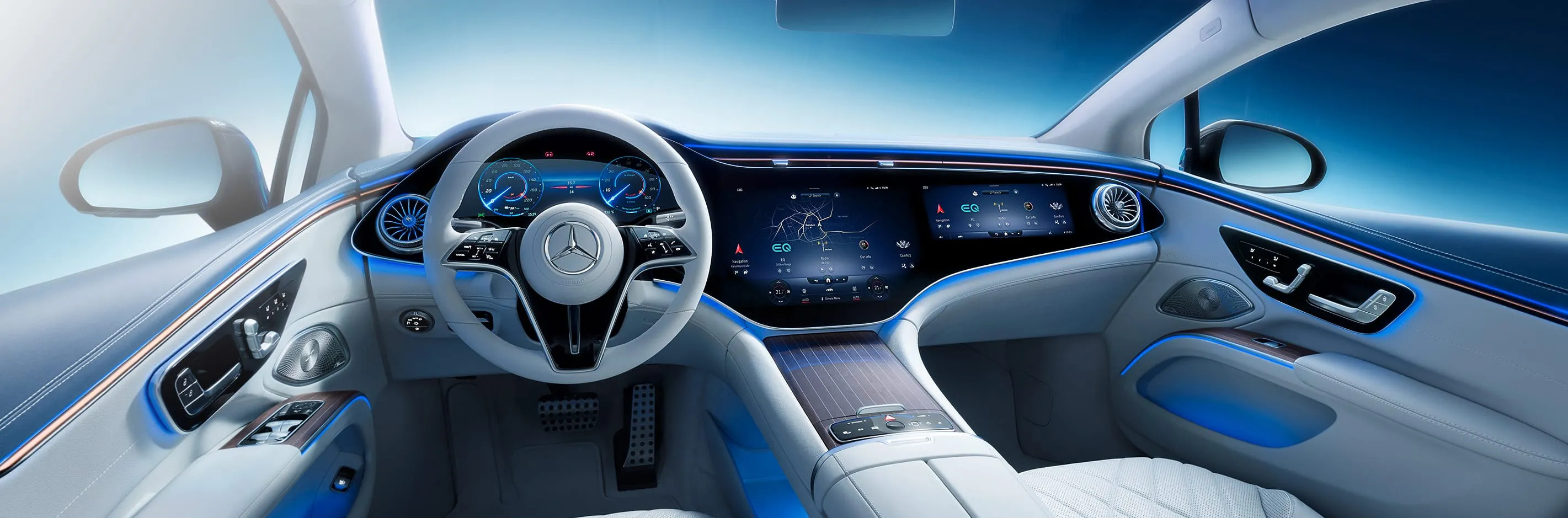
The Mercedes‑Benz User Experience (MBUX) is an innovative infotainment system that transforms your drive into a personalized, intuitive experience. With voice commands, HD touchscreens, and cutting‑edge AR navigation, MBUX keeps you connected, relaxed, and in control.
What Is MBUX?
Launched by Mercedes‑Benz, the MBUX infotainment system adapts to your preferences, learns from your habits, and offers custom suggestions for media, navigation, and more. Every user profile gets its own tailored interface, making each drive unique.
Top MBUX Features
1. Voice Control with “Hey, Mercedes”
Simply say “Hey, Mercedes” to adjust climate settings, change music, or set navigation—all without lifting a finger. For example, “Hey, Mercedes, I’m freezing” will raise the temperature instantly, so you stay comfortable.
By understanding natural speech, MBUX keeps you focused on the road for safer driving.
2. HD Touchscreens & Touchpad
Choose between the responsive central touchscreen and the haptic touchpad on the console. Multi‑touch gestures and customizable shortcuts make accessing your favorite features a breeze.
3. Augmented Reality Navigation
MBUX overlays directional arrows and street names onto live video from the front camera. This intuitive display simplifies complex intersections and enhances route accuracy.
- Clear guidance through busy city streets or winding roads
- Precise lane‑keeping cues for confident turns
4. Smartphone Integration
Seamlessly connect via Apple CarPlay or Android Auto to access calls, messages, and apps directly from the MBUX display.
- Hands‑free control keeps you safe
- Stay in touch with work and play on the go
5. MBUX Hyperscreen
Available in select electric models and the S‑Class, the Hyperscreen spans the dashboard with a single curved glass panel. Enjoy an expansive interface that blends driver and passenger displays.
- Next‑level immersion with AI‑driven suggestions
- Enhanced luxury feel and seamless design
Which Models Offer MBUX?
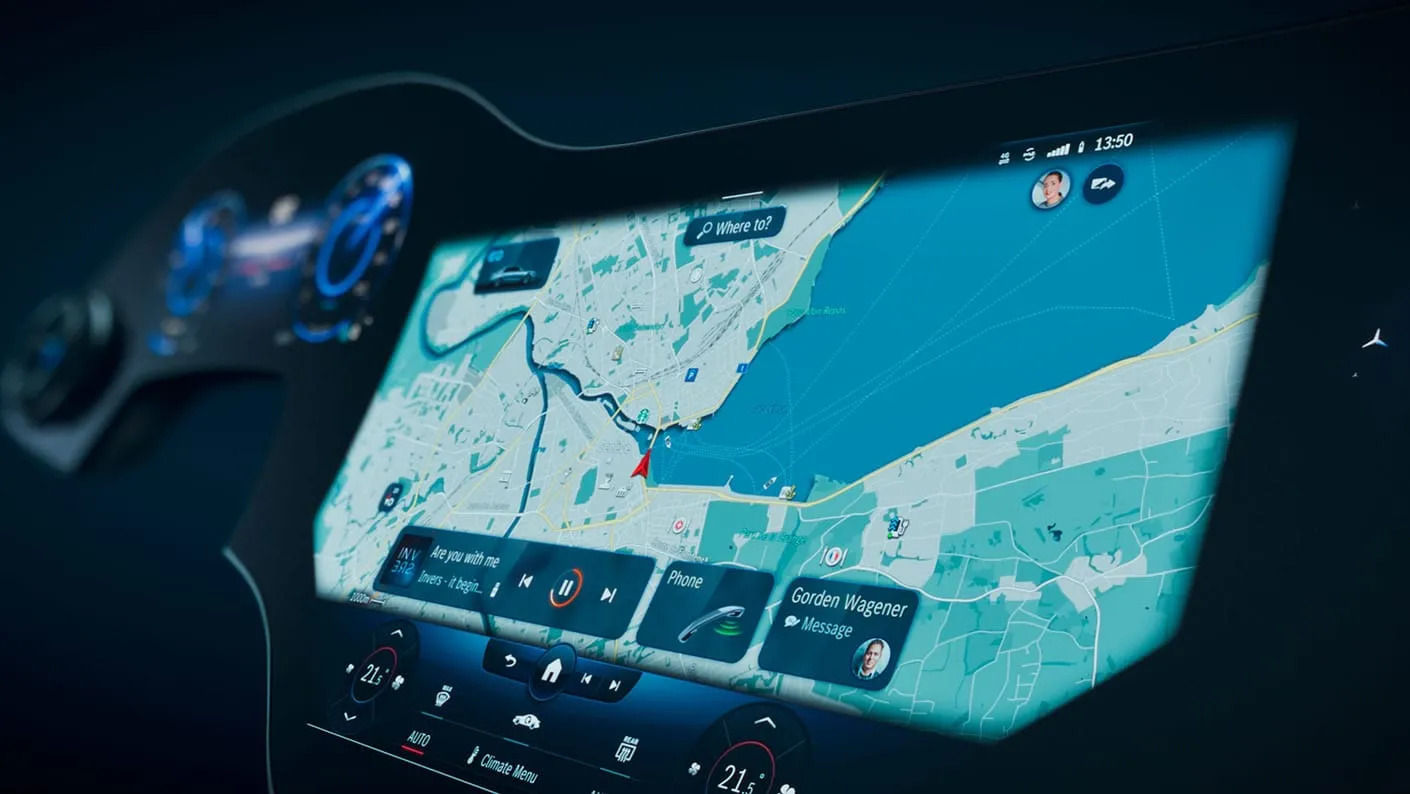
MBUX comes standard on many Mercedes‑Benz models, with advanced options available on higher trims.
Standard Features
- 10.25″ touchscreen
- Voice control via “Hey, Mercedes”
- Touchpad and steering‑wheel controls
- Apple CarPlay & Android Auto
- Dual‑zone climate interface
- Optional AR navigation
Premium Upgrades
The Hyperscreen package in all‑electric models and S‑Class adds a 56″ display, AI‑powered recommendations, and rear‑seat infotainment controls.
- Rear‑seat tablet with entertainment and climate controls
Ready for an upgrade? Explore our new Mercedes‑Benz inventory today.
Tips to Maximize Your MBUX
- Use conversational voice prompts like “Find the nearest coffee shop”
- Customize your home screen with favorite widgets
- Let MBUX learn your habits for tailored suggestions
- Sync profiles via the Mercedes Me app to keep settings across vehicles
FAQs & Troubleshooting
- How do I set up and personalize MBUX?
- Go to “Profiles” in settings, select “Create New Profile,” and follow the prompts to save your preferences.
- How do I connect my smartphone?
- Enable Bluetooth®, tap “Phone” on the home screen, then “Connect Device” and follow pairing instructions.
- Why isn’t voice control working?
- Ensure the microphone is clear and voice control is enabled in settings. Update your system software if needed.
- What if the screen freezes?
- Hold the power button for 10 seconds to soft‑reset, or visit our service center for assistance.
- Which models include MBUX?
- Since 2018, MBUX is featured on A‑Class, CLA, GLA, E‑Class, and S‑Class models. Browse pre‑owned Mercedes‑Benz to find your fit.
- Does MBUX support Apple CarPlay?
- Yes, MBUX seamlessly integrates with Apple CarPlay for iPhone functionality.
- How do I check my MBUX version?
- Go to “Settings” > “System” to view software version details.